
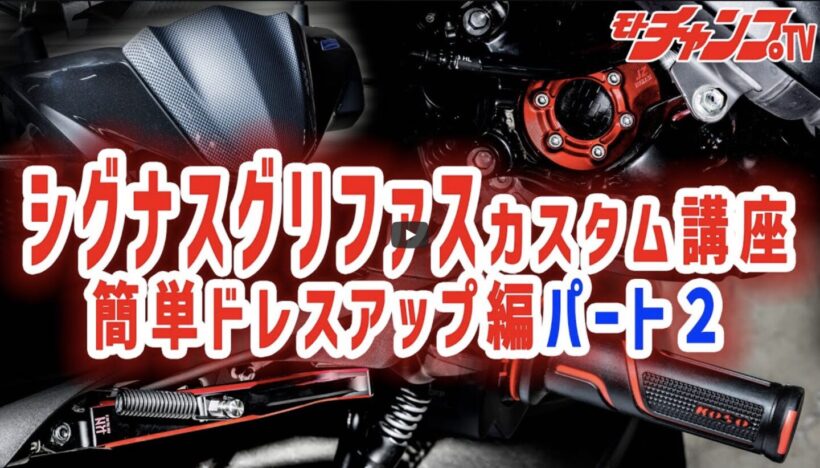

KN Kikaku, which we introduced last time, has a wide range of KOSO parts available that can easily dress up the Cygnus Griffus. So, for the second installment, we’ve put together a digest of a video from Moto Champ TV, a channel that offers free videos, called ” Dressing up the details to increase the satisfaction of your Cygnus Griffus! Part 2. ” There are a lot of photos, so please follow them step by step.
Install a carbon-look screen

KOSO carbon look screen.
First up is the carbon-look windscreen. It may look simple, but it requires removing the upper cowling before it can be installed, which is quite time-consuming. However, it’s just a few steps, and anyone with a Phillips head screwdriver can do it, so we encourage you to give it a try.

Remove the two Phillips screws on the top left and right of the cowl and the two on the bottom left and right to remove the clips.
ADVERTISEMENT

Remove the front center cowling to make it easier to work.
ADVERTISEMENT

Remove the two Phillips screws on the back of the cowling and remove the screen.
ADVERTISEMENT

Transplant the well nut or install a new one on the back of the carbon-look screen.
ADVERTISEMENT

Reassemble in the reverse order of removal and you’re done!
Install dual color brake levers

KOSO brake levers are installed.
Next, let’s try changing the brake levers to colorful KOSO ones. If you have experience replacing levers, this will be no problem, but beginners should be careful. The bolt that secures the lever cannot be pulled out until the locking nut is removed. Also, the right lever uses a spring, so there is a risk that it will fly off and get lost as soon as you remove the lever. Please work carefully.

Remove the cowl and remove the bolt and nut that secures the brake lever. Be careful not to lose the spring at the base of the lever.
ADVERTISEMENT

The original spring was transplanted and a KOSO lever was installed.
ADVERTISEMENT

The left lever can be removed using the same procedure, except that the left lever has more parts.
ADVERTISEMENT

When you remove the wire, two parts will separate from the lever. Transfer them to the KOSO parts in the same way as when you installed them and put them back in place.
Installing the high throttle kit

KOSO High Throttle Kit 2 is installed.
Many scooter riders probably dream of a high-speed throttle that requires minimal throttle operation. By changing the amount of wire winding, you can fully open the throttle with less operation than with the original throttle. To install it, you will need to remove and attach two throttle wires. It may be surprisingly difficult, but if you remove and attach the wires alternately, it should be no problem. Be careful not to confuse the pull side and the return side.

Remove the handle cover and disconnect the harness.
ADVERTISEMENT

Remove the two bolts securing the throttle and open the cover.
ADVERTISEMENT

There are two wires inside the cover, so operate the throttle while loosening the wires and removing the wire stopper.
ADVERTISEMENT

Attach the removed wire to the housing included in the kit, being careful not to confuse the pull side and return side.

Pull out the wire and attach it to the high-speed throttle side, then temporarily fix the housing and check its movement.

If there are no problems with movement, put the cover back on and then install the throttle opening memory.
Change to two-tone color grip

Attach the KOSO grip and you’re done.
Since I’ve gone to the trouble of upgrading to a high-speed throttle, I wanted to pay particular attention to the grips. This time, I changed to colorful, well-designed KOSO two-tone color grips. For the right grip, I simply sprayed some parts cleaner on the installed high-speed throttle and attached it, but for the left grip, I had to cut it with a cutter to remove the original part. It can’t be reused, but this is unavoidable since the original part is fixed in place with adhesive. When cutting with a cutter, I used a flathead screwdriver to create a gap between the grip and the handle, and made a shallow cut to avoid scratching the handle itself.

Remove the original left grip by cutting it with a cutter.

Wipe off the adhesive thoroughly, then spray with parts cleaner or similar and attach the grip.
Change to JZ rear wheel nut cover

Install the KOSO JZ rear wheel nut cover.
If you’re looking to add some variety to your rear foot area, the JZ rear wheel nut covers are perfect. The bright red anodized finish creates a glamorous look that’s indistinguishable from the OEM. To install them, you not only need to remove and install the bolts, but also remove the brake hose stay to make it easier to install and remove them so they don’t interfere with the hose.

Remove the original plate that holds the wheel nuts and remove the brake hose stay.

This is the brake hose bracket. The hose gets in the way, so remove the bracket and install the wheel nut cover while avoiding the hose.

After installing the wheel nut cover, return the brake hose stay to its original position.
Change to ST Dual Color Standard Side Stand 2

Stylish ST dual color standard side stand 2.
The side stand is used more frequently than the center stand, so it’s a noticeable feature whether you like it or not. The stock one is plain black and rather dull, so changing to the ST Dual Color Standard Side Stand 2 will really enhance the look. A spring hook is essential for replacement, and prying it with a flathead screwdriver or similar can cause problems. Also, since the bolts for the stand are removed from the back, a thin tool such as a plate ratchet is essential. When working, be sure to use the center stand.

Remove the spring from the stand using the special hook.

After removing the nut on the front side, pull out the bolt from the back. Because it is narrow, it is convenient to use a thin ratchet. To install, simply follow the steps in reverse.
Install a seat spring damper that automatically bounces up the seat

KOSO seat spring damper that bounces up the seat with the force of the spring.
Even when unlocked, you still need to lift the seat by hand. It’s not particularly inconvenient, but many users would like the seat to pop up on its own. This can be achieved by installing a KOSO seat spring damper, so if you use the area under the seat a lot, it’s definitely worth considering installing. However, you will need to cut off some of the protrusions on the back of the seat, so please think carefully before purchasing.

Remove the two nuts at the base of the seat and remove the seat.

Remove the original shaft and secure the spring damper by passing the shaft included in the spring damper kit through it.

Attach the rings included in the kit to both ends of the shaft to secure it in place.

Use pliers to cut off the protrusion on the back of the seat as it will interfere with the spring damper.

Once you install the seat, it’s done!